Winlator
Screenshots
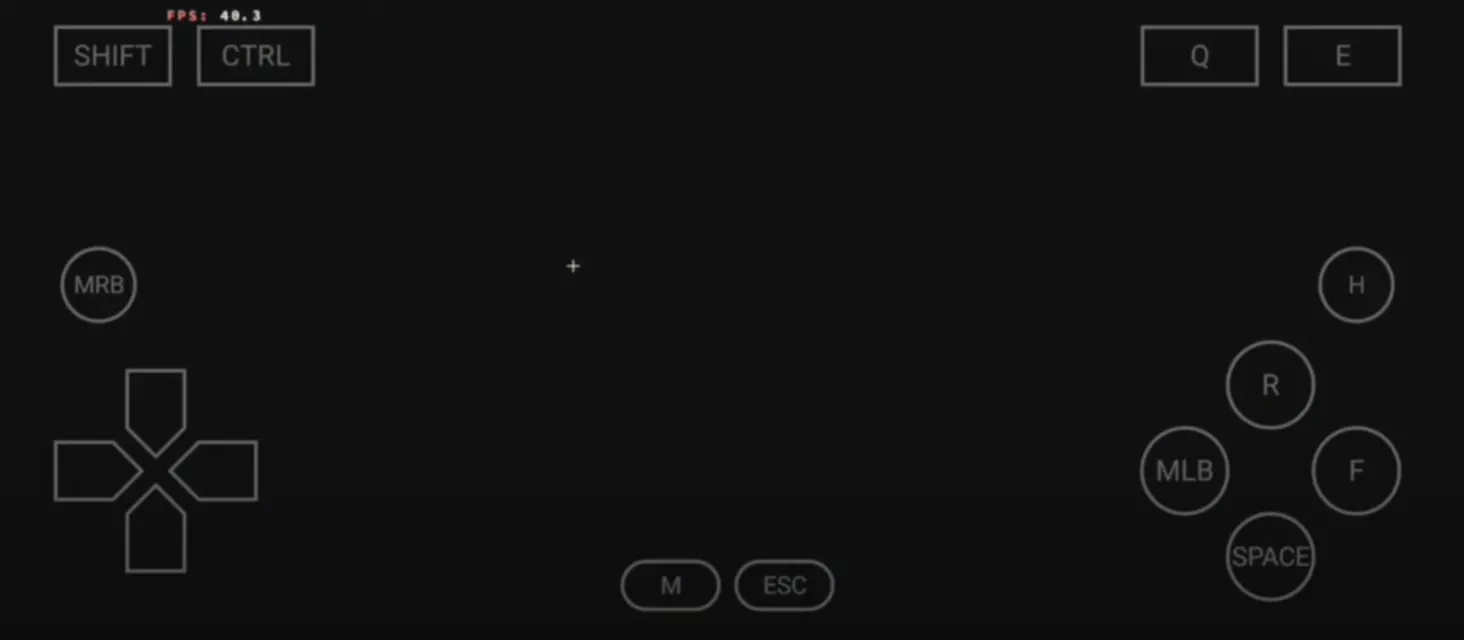
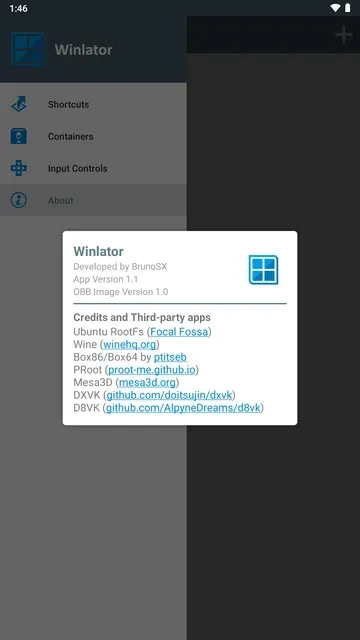
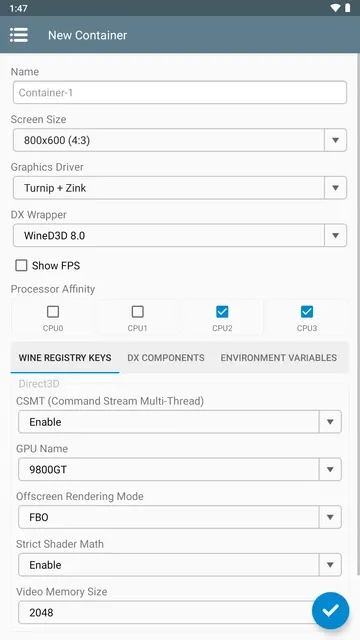
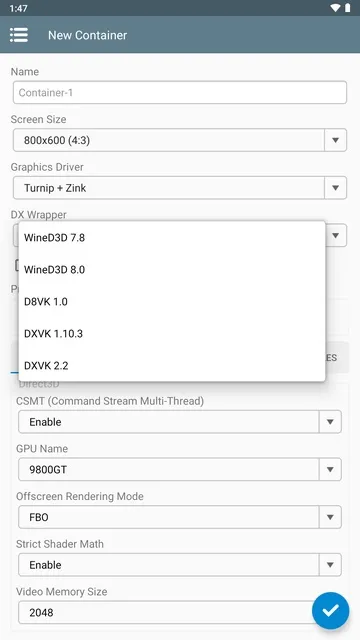
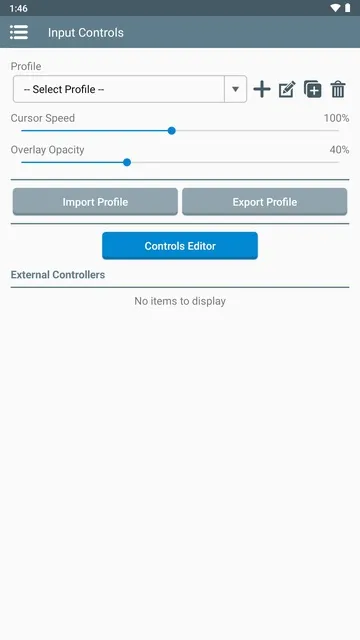
Winlator allows mobile device owners to run desktop games and applications locally without cloud streaming. This application relies on advanced translation layers like Wine, Box86, and Box64 to execute x86 and x64 computer code. As a result, users can play classic computer games directly on touchscreens.
In addition, the system emulates essential desktop components with high accuracy. Gamers can adjust resolution settings, graphics drivers, and audio configurations for each installed program. Consequently, thousands of desktop enthusiasts now convert their handheld devices into portable gaming setups.
Winlator: Understanding the Core Architecture
Winlator functions by converting classic desktop instruction sets into mobile-friendly processor commands. Specifically, Box86 handles 32-bit processes, while Box64 translates 64-bit applications seamlessly. Meanwhile, Wine translates Windows system calls into standard Linux system calls. Therefore, games run natively on mobile processors without heavy server delays.
Moreover, this architectural design bypasses the need for high-speed internet connections or remote desktop setups. Users maintain complete local control over their application files and saved games. For example, offline gaming becomes completely possible during long travel trips. As a result, performance depends entirely on internal phone hardware rather than web bandwidth.
Exploring Graphics Performance in Winlator APK
Graphics rendering forms the core foundation of Winlator APK. The system incorporates custom drivers such as Mesa Turnip, VirGL, and Zink to render complex 3D scenes. Furthermore, DirectX translation wrappers like DXVK convert Direct3D calls into Vulkan graphics instructions. In other words, modern hardware acceleration handles desktop visual effects smoothly.
In addition, users can customize specific rendering parameters to boost frame rates significantly. Choosing the correct driver for a specific mobile GPU prevents unwanted visual glitches and overheating. For instance, Adreno graphics processors benefit greatly from Turnip drivers. Thus, careful driver selection ensures a stable frame rate across demanding games.
Optimizing Processor Cores and System Resources
Processor management plays a critical role in maintaining smooth system execution. Within container settings, users can assign specific CPU cores to run chosen applications. Above all, pinning processes to performance cores reduces frame drops during intense action sequences. Consequently, mobile devices manage thermal throttling much more efficiently.
Likewise, memory allocation options allow the environment to manage RAM usage dynamically. Adjusting virtual memory size prevents sudden application crashes when loading large textures. To clarify, higher allocations allow larger game maps to stay loaded in memory. Therefore, system resources remain stable even during extended gameplay sessions.
Managing Containers in Winlator APK
Container isolation provides immense flexibility when configuring different desktop environments in Winlator APK. Each container acts as a separate virtual C-drive with unique system settings. For example, one container can run old 16-bit games with basic settings. Meanwhile, another container can run heavy 3D games with advanced Vulkan drivers.
In addition, users can easily clone, export, or back up established container configurations. This modular setup protects working game installations when testing experimental graphics patches. Furthermore, managing separate desktop environments prevents file conflicts between different programs. As a result, users organize their mobile library without risking system stability.
Customizing Audio Drivers and Sound Server Settings
Audio processing requires precise synchronization to match fast desktop gameplay. The system supports ALSA and PulseAudio sound servers to output background sound effects cleanly. In addition, users can adjust audio buffer sizes to reduce sound latency during action matches. Therefore, background music and game voice lines play without frustrating audio stuttering.
Furthermore, selecting the appropriate audio driver prevents system memory leaks over time. Customizing sound parameters helps balance processor workload during long gaming sessions. For example, lower sampling rates conserve valuable processor resources on budget devices. Consequently, sound performance matches high visual frame rates across various applications.
Performance Tweaks and Control Layouts
Customizing input methods transforms how users interact with complex desktop games. Winlator APK provides full support for physical mice, keyboards, and Bluetooth gaming controllers. On the other hand, the touch controller editor allows players to create custom virtual buttons. Consequently, complex keyboard shortcuts map easily onto touchscreen displays.
In addition, tuning screen resolutions plays a massive role in reaching sixty frames per second. Lowering the internal desktop resolution from 1080p to 720p reduces processor workload drastically. Most importantly, games remain crisp on small screens while gaining significant frame rate boosts. Therefore, adjusting display scale unlocks incredible performance gains.
Key Features of Winlator APK For Android
Native Wine Integration
Winlator APK incorporates a built-in Wine environment to handle Windows system calls seamlessly. This integration creates a complete desktop file system on mobile storage drives. Consequently, desktop applications execute naturally without requiring modified installation packages.
Advanced Translation Layers
The system combines Box86 and Box64 translation engines to execute desktop instructions efficiently. These components convert complex x86 architecture commands into ARM-compatible instructions in real time. Therefore, mobile chips process desktop calculations with minimal performance loss.
Customizable Input Controls
Mobile users can build virtual touch controls or connect external hardware gamepads easily. The app includes options to map virtual buttons, analog sticks, and mouse trackpads directly onto the screen. Likewise, users can save custom controller layouts for individual games.
Direct Graphics Driver Selection
Users can switch between multiple graphics drivers like Mesa Turnip, VirGL, and Zink within container settings. This flexibility ensures maximum compatibility across various Qualcomm Adreno and ARM Mali graphic processors. As a result, visual bugs can be fixed quickly.
DXVK and Vulkan Support
The application utilizes DXVK translation wrappers to convert DirectX 9, 10, and 11 calls into Vulkan commands. This modern rendering approach grants mobile devices high visual accuracy and faster frame rates. In addition, Vulkan integration reduces hardware heating during heavy gameplay.
Comprehensive Container Management
Users can create multiple isolated containers with custom resolutions, graphics cards, and drive paths. This setup allows independent configurations for every installed computer program. Furthermore, individual containers prevent system file corruptions across your game library.
Built-in Desktop File Manager
The internal environment features a full desktop file manager to organize game directories efficiently. Users can move, extract, and edit configuration files directly inside the virtual C-drive. Thus, modding games and managing save files becomes extremely simple.
How to Download and Install Winlator APK
Click the download button to grab the latest official package directly onto your mobile device storage. After that, open your device file manager, tap the saved installation package, and grant the required system installation permissions.
- Locate the downloaded installation file inside your device file manager.
- Tap the installer file to launch the system package installation prompt.
- Enable unknown app installation permissions inside your system settings if prompted.
- Press the install button and wait for the process to finish.
- Open the application icon on your home screen to initialize environment files.
Winlator Tips and Tricks
- Match driver choices carefully with your specific mobile processor model for optimal frame rates.
- Lower internal container resolutions to 800×600 or 1280×720 to reduce GPU load drastically.
- Assign performance CPU cores exclusively inside container settings to prevent frame stuttering during gameplay.
- Enable DXVK translation wrappers when launching modern 3D games for smoother Vulkan rendering.
- Create separate virtual containers for every game to prevent conflicting graphics configurations.
- Connect a Bluetooth gamepad to enjoy precise arcade controls without covering touchscreen visuals.
Conclusion
In conclusion, Winlator APK redefines mobile gaming by bringing classic desktop applications directly to portable devices. The combination of Wine, Box86, Box64, and Vulkan driver wrappers creates an impressive execution environment. Moreover, deep customization settings allow gamers to optimize performance for their specific device hardware.
To sum up, this platform opens exciting possibilities for classic computer game lovers worldwide. Users can easily store, manage, and enjoy their favorite desktop games anywhere they go. Therefore, installing this application provides an unrivaled handheld emulation experience for every mobile tech enthusiast.